If you will be away and unable to fulfill orders for a short period of time, please go to Holiday Mode under the 'Account Settings' and enter the dates you are away.
Step by step:
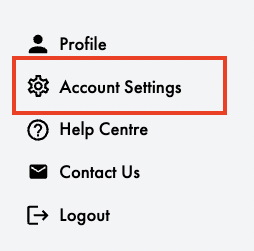
Go to 'Account Settings' on your dashboard:
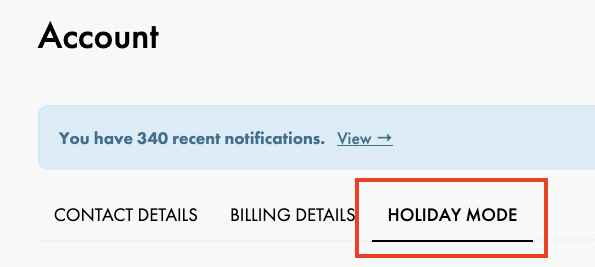
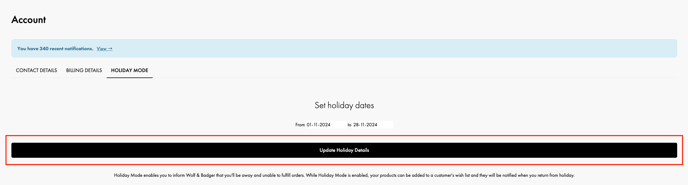
Navigate to 'Holiday Mode' on the right hand side:
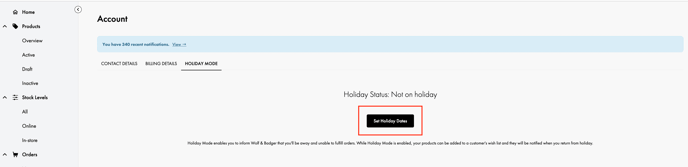
Select your holiday dates:
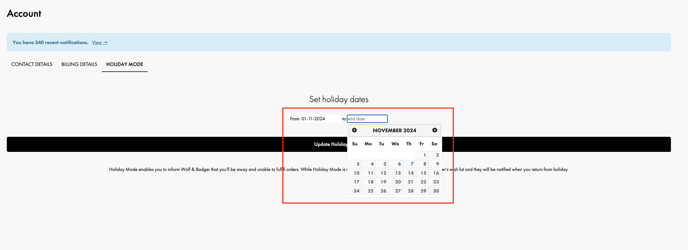
Once you've selected your dates, click 'Update Holiday Details':
Your products will show as out of stock in any category pages and on your product listing page during these dates so that no orders are placed. However, customers can still add items to their wish list. They'll be notified via email when your products are available again if they've been added to any wishlists.
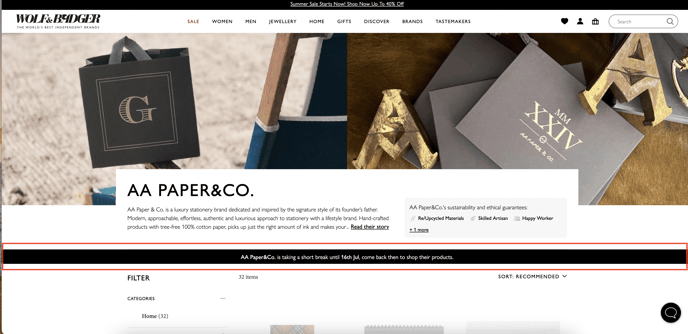
There is a banner which highlights the date your brand will return from holiday mode, so customers know when to come back to place their order. The product overlay encourages customers to add products to bag for us to notify them when you're back.
Please note that your products will not appear on search when your account is on holiday mode.
Kindly note, your subscription is still active and your membership fees are still due during this time.
If you are a legacy brand on a monthly membership, this feature may be used for short breaks or in instances where the required notice to pause your account has not been provided. Please note that pausing is not available for brands on an annual membership; in such cases, Holiday Mode is the only available option.