SEO Optimisation
Optimising your product names and descriptions helps search engines better understand what your products are. This in turn, allows your products to be visible to potential customers when they use search engines to look for the types of products that you may sell. Visit our extensive guide on SEO Optimisation for more information.
Product Name
When writing your product name it is important to be concise and descriptive, ideally including the product name as well as the product type or category and its key attributes.
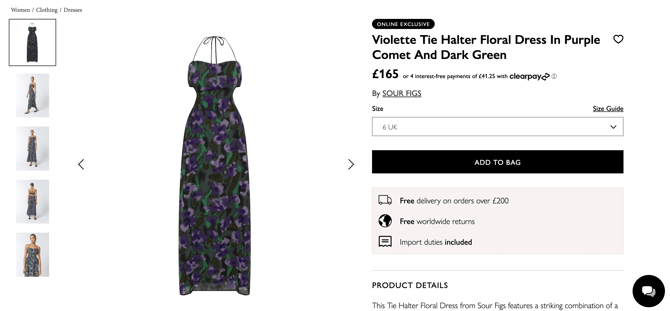
When naming your products, the most important rule is to make the title informative enough that users instantly understand what the item is. This way, when your product appears in Google search results, potential buyers know exactly what they’re clicking on, driving more traffic and improving the chances of conversion.
Adequate Stock Levels
As outlined in our Marketing Guidelines, maintaining healthy stock levels is essential. We’ve found that conversion rates decline when there are gaps in key sizes. To maximise both conversion and eligibility for features, please ensure that each listing (where applicable) includes at least three core sizes, with a minimum of three units in stock per size, and that sizing is continuous (e.g., S, M, L rather than S and L only).
Product Descriptions
Product Details
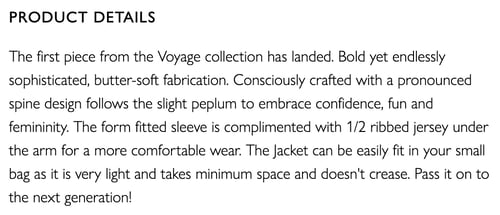
The Product Details section lets you add personality to your product, highlighting details like inspiration, materials, sustainability, and how it’s made or worn - anything that helps guide and inspire the customer.
DO's
- Use 3-5 full sentences to describe the product.- Under 800 words.
- Provide complete product details: Include key attributes such as colour, shape, style options, design elements, and materials to give customers a clear understanding of what they’re buying.
- Be descriptive and persuasive: Clearly explain what the product is, highlight its key benefits, and showcase any unique features that set it apart from similar items.
DONT'S
- Avoid using personal pronouns.
- Do not include customer reviews or detailed material content.
- Fully capitalised sentences.
Example
Materials & Care
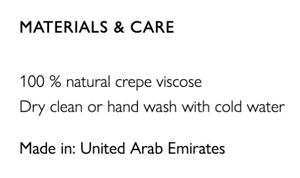
A clear Materials & Care section builds trust and ensures customers can properly care for their purchase. It must include the following:
- Clear cleaning and washing instructions.
- A percentage breakdown of the materials used in the product.
- Indicate where the product is manufactured - this information is mandatory.
- If applicable, include any sustainability information to help customers make informed choices.
- Outline how to properly look after the product.
Size & Fit
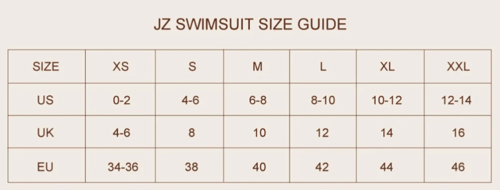
The Size & Fit section is where you can provide specific information about the fit and measurements of your product. Always include accurate measurements (in cm/inches).
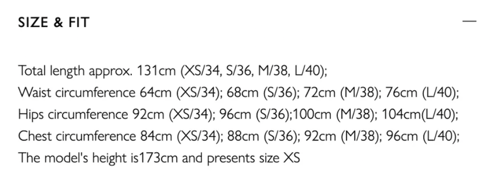
We highly recommend uploading your own size chart when uploading your products listing as sizing varies between brands. Check out this guide to find out how to upload yours.
Example
Imagery
To maximise customer engagement, include 4-5 high-quality images in each product listing.
- Your listing must feature three essential types of visual assets: product shots, studio shots, and lifestyle shots

- Use ghost imagery if possible, as it performs better than flat lays.
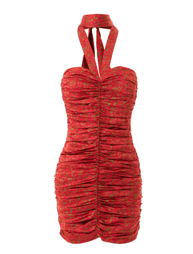
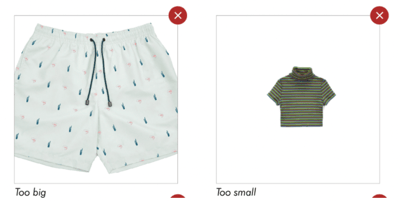
- Ensure that all images are consistent in size and scale for a professional appearance.
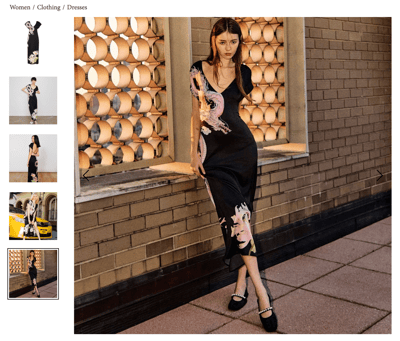
- Always include a lifestyle image as the second image to help customers visualise the product in use.
UGC (User Generated Content)
Adding user-generated content is a great way to boost brand awareness and increase your visibility on the site. We love showcasing authentic photos of real people - whether it’s customers, bloggers, friends, or family wearing your collections. Approved images may be featured on our homepage and social media, helping drive traffic to your profile and product pages.
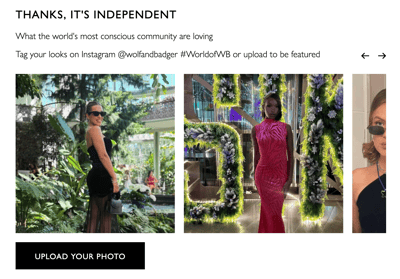
For information on how to upload your UGC please take a look at this guide.
Complete the Look
If your product has a matching item such as coordinating accessories or complementary pieces you can link it so it appears directly on the product page. Adding a 'Complete the Look' section encourages cross-selling, helps customers visualise a full outfit or setup, and increases the likelihood of multiple-item purchases.
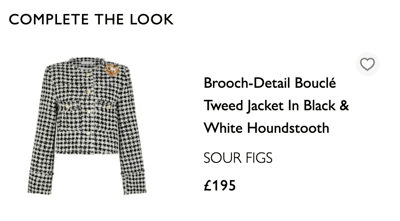
When uploading a product, scroll down to the Complete The Look section to add your featured item. For more information please check out our guide here.
Adding Product Colour, Sizes and Linking Colour Variants
When uploading a product, you can select a colour, add multiple sizes, and link colour variants to keep your listings clear and easy to browse. Including these details helps customers find the right options, discover related products, and improves your chances of turning views into sales.
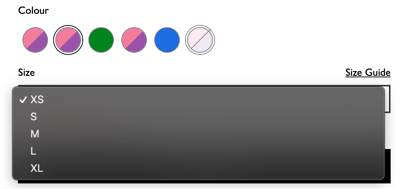
For information on how to add these details please take a look at this guide.
Adding Product Reviews
See guidance on how to do this here.