Sending orders to your 3PL/ warehouse
You can download your orders in bulk on a daily basis and send them across to your 3PL
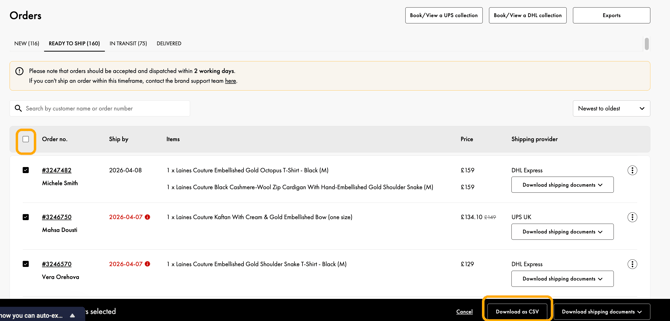
- After order acceptance, bulk select orders and select “Download as CSV”
- You can download your orders in bulk on a daily basis and send them across to your 3PL, or upload them into your ecommerce platform e.g. Shopify
Sharing shipping documents with your 3PL/ warehouse
- In the “Ready to Ship” section of your dashboard, you can click on the drop down and “Download Shipping Label(s) & Packing Slip(s) as separate files”.
- You can select all to download all labels from all orders in the “Ready to Ship” stage in bulk as separate files.
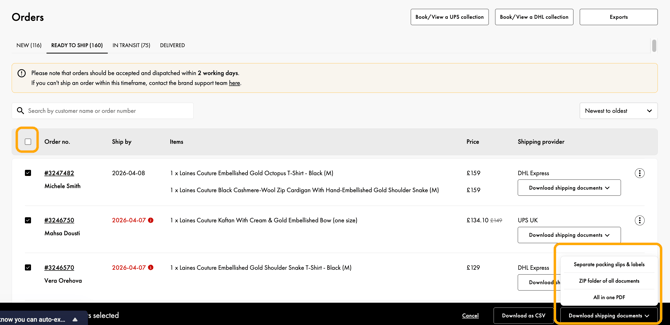
- Each file is named with your order number and invoice or shipping label.
- These files can be sent to your warehouse which they can match up to each individual order without needing to open the different files, or if your 3PL’s warehouse management system (WMS) allows, you can upload the relevant files into each order of the WMS
Does your 3PL use Mintsoft software? We support this integration end to end - see more here.
Looking for a 3PL recommendation? See our Trusted Suppliers List.