Skip to content
English
  • There are no suggestions because the search field is empty.

How do I update my return address?

Your shipping address is the same as your return address. You can make changes to the address directly on the dashboard.

  1. To make changes, log into your dashboard and select 'Account Settings' > 'Contact Details'
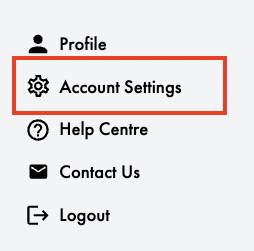
Screenshot 2024-10-21 at 10.55.17


2. Update the address in Order Fulfillment Details. Please note that your Fulfillment and Returns address must be the same.
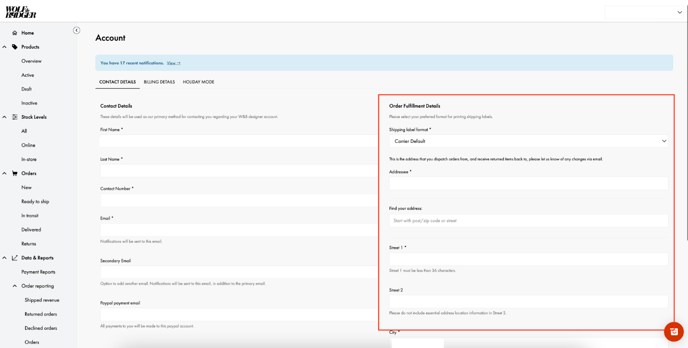
Screenshot 2024-11-07 at 14.58.40

3. If you have any pending returns or require new shipping labels, please reach out to the Brands Support Team via our contact form.


Please note - If you need to change the country of your fulfilment/return address, you must contact the brand support team for assistance.