To edit or update your card payment details you will need to.
1. Log in to your dashboard and go into the 'Account Settings’ section at the bottom of your left-hand menu.
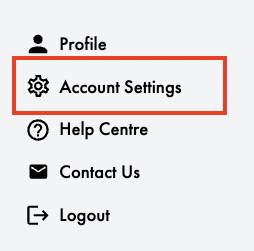
2. Select ‘Billing Details’ at the top left of the page.
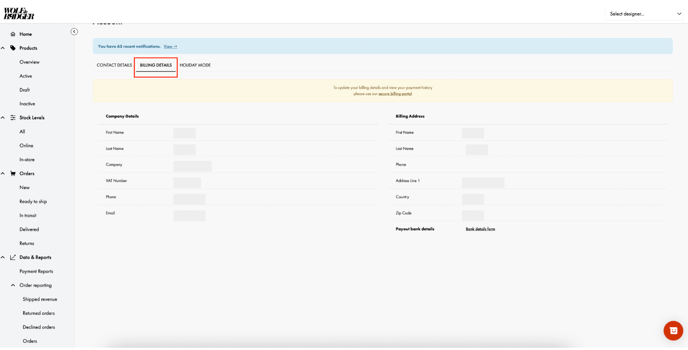
3. The 'Secure Billing Portal' link will now appear in the yellow bar at the top of the page- select this to prompt the 'Manage Subscriptions' page to pop up.
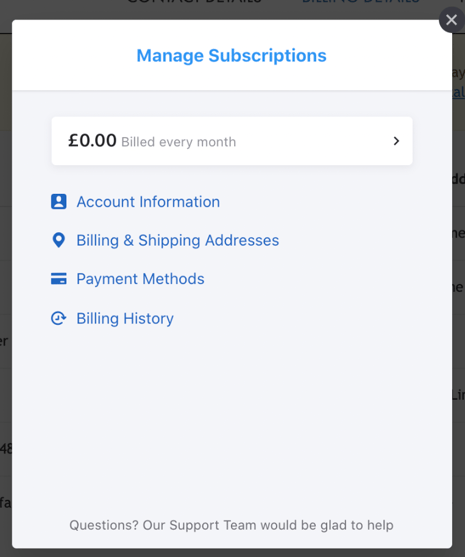
4. On the pop-up page, select 'Payment Methods' to make any changes.
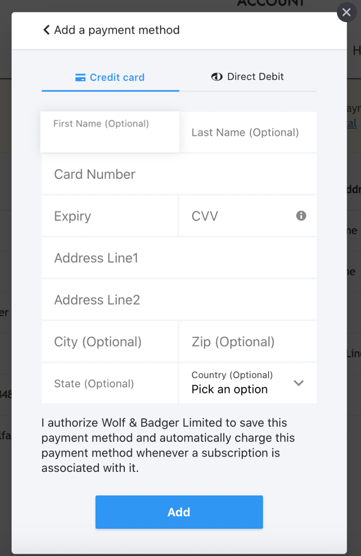
Please note: If you are amending your payment method close to your next billing cycle (always on the 1st of each month) then please reach out to our brands support team for further assistance.